TL;DR — Trusted by 3000+ photographers, Luminar Neo: The Complete Course takes you from first launch to your first polished photo tonight. Then dive into 46 lessons (29 h), lifetime access, and 200 RAW files to master sky swaps, power-line removal, and batch edits.
Luminar Neo: The COMPLETE Course – 2025 Edition
Clear, Step-by-Step Luminar Neo Training—Trusted by 3000+ Photographers
Whether you’re brand new to editing or tired of piecing things together, this course helps you confidently edit photos with Luminar Neo—fast. With 46 step-by-step lessons and 200+ RAW files, you’ll learn practical tools like sky replacement and batch edits without the tech stress.
Everything You Need to Confidently Edit With Luminar Neo
Learning Luminar Neo doesn’t have to be frustrating or confusing. This course gives you more than just editing tips — it gives you the confidence and tools to make your images stand out, without spending a fortune on new gear.
Impress friends, family, and yourself with a newfound command of photo editing and the resulting images.
Luminar Neo training from start to finish, from one instructor with decades of photo editing experience.
“One instructor, start to finish, covering everything I’d ever want to know.
Erol. O.
Weekly live editing, plus the community, keeps me learning and inspired.“
Step-by-step tutorials
Learn editing the right way—with a clear, step-by-step path. You’ll start with the basics, then move into creative touches like portraits, skies, and problem-solving for tricky exposures or color issues.
Lifetime Access
No deadlines, no pressure. You’ll have lifetime access to every lesson—so you can review at your own pace, as often as you need.
And when Luminar Neo gets upgraded, we update the course too.
What’s Included?
You’ll get:
- 200+ RAW files
- 6 sky replacement images
- 2 textures
- 2 bokeh overlays
- 9 grunge-edge frames
These files let you follow along exactly—and give you a fun way to practice and experiment with your own edits.
Risk-Free!
If you’re not happy within 30 days, I’ll refund you — no questions asked. I want you to feel great about joining, and totally confident in your decision.
Join Our Luminar Neo Course Alumni
What are students saying about this Luminar Neo Course?

On a scale of 1 to 10… this class far exceeded expectations, and yes, it was way off the charts, meaning way over a 10!!! Thanks for a most positive learning opportunity.
Al Cormier
Luminar Neo The Complete Course is the best value photo editing course I invested in. For anyone hesitating to sign up; do it you won’t be disappointed.
Branden Wong


This is an outstanding Course, extraordinary value, covering photo editing in detail in a format that enables easy assimilation of the powerful photo editing tools of Luminar NEO.
Darlene is unquestionably one of the BEST photography instructors there is.
Edward Barbieri

Confident Edits, Your Signature Style
If you’ve been searching for a way to learn how to use Luminar Neo that’s clear, step-by-step, and actually fun—you’re in the right place.
This course gives you the tools to edit with confidence, develop your own creative style, and finally feel in control of your photo editing. And with access to our private online photography community, you’ll get support, encouragement, and inspiration as you go.
You’re never stuck, never alone—and the results will speak for themselves.
What Will I Actually Learn in
This Luminar Neo Course?
Master photo editing with Luminar Neo, no jargon, no confusion. This course guides beginners and switchers step-by-step through AI tools like the new Light Depth tool and Enhance AI, helping you create stunning edits, organize images, and feel confident every step.
Join the 3073 Students (and Growing!) Mastering Luminar Neo Right Now!
No More Guesswork on File Organization
- Finally understand the Catalog panel in Luminar Neo—and how to import, sort, and find your images without stress.
- Set up a reliable backup and folder structure so your images are safe and easy to manage.
- Migrate from Lightroom without losing track of your photos or edits.
Step-by-Step Lessons That Build Your Confidence
- Follow along with 200+ practice RAW files so you’re never wondering “how did they do that?”
- Start simple, then build your skills naturally—no overwhelming modules or technical rabbit holes.
- Get help when you need it through a private student space and community designed for support, not judgment.
Get Pro-Level Edits with Simple Tools
- Master the Light Depth tool, Enhance AI, and Sky Replacement to give any photo drama, mood, or depth.
- Fix exposure and detail issues in one click using SuperContrast and Smart Contrast tools.
- Learn when to go “light and natural” or “bold and dramatic”—and how to do both with confidence.
Confused by Layers? Not After This
- Understand how Luminar Neo uses layers and masking to combine effects and make selective edits—without needing Photoshop.
- Learn how to blend textures, skies, and overlays for creative projects like greeting cards, collages, and photo art.
- Stop guessing when to use Mask AI or manually brush—we break it down so it finally makes sense.
Restore Old Photos and Make New Ones Shine
- Digitally enhance and restore old family images with simple tools like Light Depth and Structure.
- Fix faded, yellowed, or scanned photos using tone curves, noise reduction, and color correction.
- Preserve your memories with edits that respect the original while making them more vibrant.
Restore memories, build a portfolio, or stop feeling lost, this course makes Luminar Neo feel clear, creative, and truly yours.

How is This Luminar Neo Course Organized?
The course is organized into sections that lead the student through a complete understanding of the interface and tools, the workflow for using Luminar Neo as a plugin for Lightroom and Photoshop, how to fix common image problems and editing all kinds of photos from landscapes, portraits, pets, macro and getting creative by turning your photos into digital art using textures and bokeh among other things.
Getting Started
In this opening section of the course, you’ll be introduced to Luminar Neo and show how to get around the different modules, side panels, and tools.
The Essential Tools
Here you’ll learn how to add images to Luminar Neo and start to use the processing tools for a good base understanding of each and what they do.

The Creative Tools
Now it’s time for you to get creative. Learn how to do a sky replacement properly so it’s natural-looking and believable, control your light with the Light Depth tool, then add some finishing touches.

Portrait Tools
Learning how to use the portrait tools is important even if you don’t plan to ever do formal portraits or aren’t a professional photographer. These tools will work on ANY photo of a person, candid or posed. So you’ll see how to transform your people pictures and flatter your family and friends so that they will only want you to take their photos from now on!

Advanced Tools
This section is all about the final things you need to learn about in Luminar Neo – the Professional tools and Layers. You’ll see how to use them and when to apply each.
Using Layers doesn’t have to be complicated, and this course will help you master them!
Luminar Neo Workflow
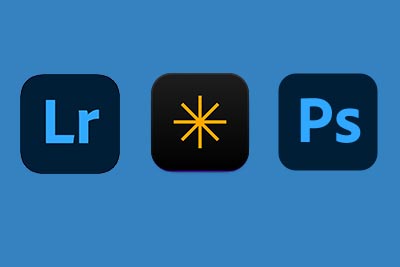
You’ll learn how to use Luminar Neo as a plugin for Lightroom and Photoshop, how to save or export your finished image at the right size for printing or online use, and how to transfer your photos to your phone for social media sharing using Luminar Share.

Fixing Common Problems
This is where the practical application of all the tools and techniques you’ve learned so far in the course all come together.
You’ll take all that information and see how to fix common image issues like noise, sharpness, color issues, too much contrast, not enough contrast, and so on.
After this, you’ll be ready to tackle just about anything!

Editing All Kinds of Photos
Finally, you’ll see a full start to finish edit on several different kinds of images from street or travel photos, to landscapes, portraits, and abstracts, all the way to creating fine art and night photography images.
Using the RAW images provided in the course to practice, you can follow along and try to reproduce the same results as your instructor.

Frequently Asked Questions
Watch and learn as Darlene answers all student questions in a live format, while she not only answer the questions, she demonstrates them in real time.
Watch many more hours of photo editing demonstrations while having your questions answered and picking up a few more tips and tricks.
Bring Your Old Family Photos Back to Life
NEW: OVER ONE HOUR OF PHOTO RESTORATION TRAININGYou have boxes of faded photographs sitting in closets and drawers. Scratched prints. Yellowed snapshots from decades past. You’ve put off this project for years because restoration seemed too technical, too time-consuming, too complicated. Luminar Neo’s Restoration tool changes everything. In this brand-new lesson, Darlene walks you through the complete process of transforming damaged family photos into images your grandchildren will treasure.
In this comprehensive restoration lesson, you’ll learn:
- How to find and use the three restoration modes: Full Restoration, Color Only, and Scratches Only
- When to use each mode and how to combine them for the best results
- Why running multiple variations produces different outcomes and how to choose the best one
- How to prepare your scans before restoration for cleaner results
- The technique for restoring images from old negatives
- How to handle the tool’s image size limitations using the upscale feature
- What to watch for in AI-restored faces and eyes
- Creative uses beyond old photos, including removing dust, grime, and unwanted elements from modern images
You won’t have to figure this out alone.
Inside the private student community included with your purchase, you’ll find other photographers working on their own family restoration projects. Share your before-and-after transformations. Ask questions when you get stuck. Learn from what others have discovered.
This is where the boxes finally get emptied and the memories get preserved.


What Students Are Saying
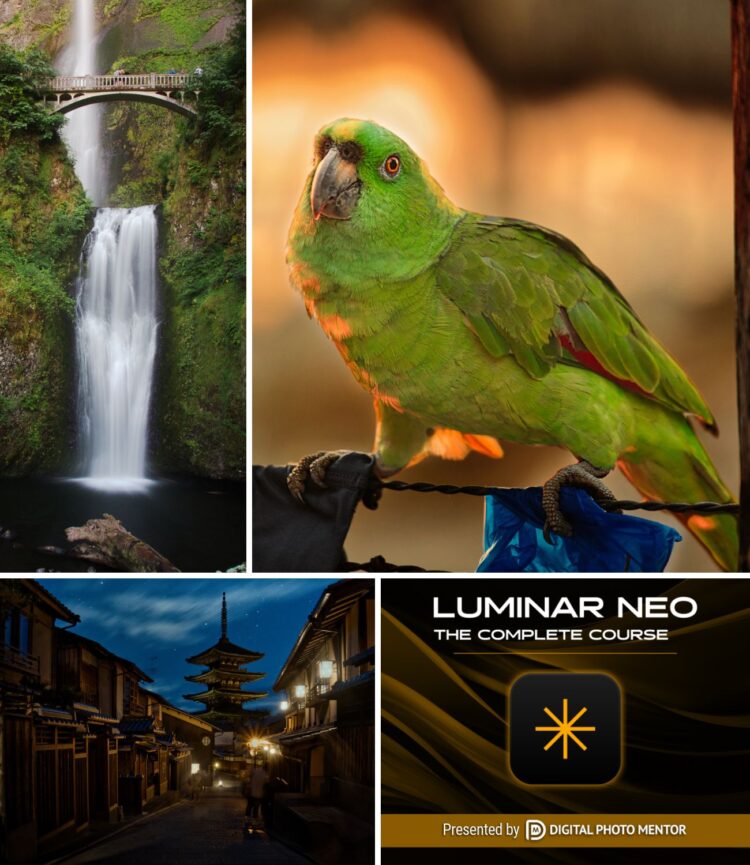
Real feedback from photographers who completed the Luminar Neo course and transformed their editing workflow.
-
In 2024 I took the Luminar Neo course at DPM with great pleasure. It was an excellent investment. Now, to my surprise, I have the opportunity to access the extensively modified and updated 2025 version of the course at no extra cost. Thank you very much Darlene!
Jan Hoevenaars -
Very interesting and useful training, well organized and clearly presenting all aspects of Luminar. I learned a lot even if I’ve been using it since the first iterations of the application. A professional training really changes the way you work with the photo editing software.
Mauro Valsasina -
I’ve really enjoyed this course. Darlene’s insights into both NEO and editing tricks have helped me figure out how to integrate it into my workflow. I do start with Lightroom but I now understand how NEO can make many editing chores easier and quicker. Thanks Darlene.
Martin Zechman -
The Luminar Neo: The Complete Course is the best value photo editing course I invested in. If anyone hesitates to sign up; do it you won’t be disappointed.
Branden Wong -
Just finished the course and purchased an additional one on HDR. Very thorough, complete and helpful. I highly recommend this course.
Todd Green -
Well what a great course. So many useful lessons. I will be going over it again when needed as it takes a while for things to stay in the old brain of Trev. Thank you so much Darlene for all your hard work all the very best from Trev.
Trevor Wright

Your Instructor
I’m Darlene Hildebrandt—photographer, educator, and the founder of Digital Photo Mentor.
I’ve been a professional photographer for over 35 years, starting back in the days of film, chemicals, and darkrooms. I’ve run a full-time photography studio, photographed over 250 weddings, and taught hundreds of workshops across Canada and internationally. I understand what it means to capture an image with intention, and how editing can help bring that vision to life.
My editing journey started with film retouching, moved into Lightroom and Photoshop, and in 2016, I began working with a new tool called Luminar. I’ve used and taught every version since—from Luminar to Luminar 4 to Luminar AI to today’s Luminar Neo.
With each update, Skylum changed its tools, interface, and features—and I updated my teaching. This latest course is a complete rebuild, packed with over 29 hours of lessons and shaped by real questions from over 3,000 students, live Zoom sessions, and community feedback.
I created this course, and the private community around it, to help photographers like you edit with confidence, ask questions without fear, and finally feel proud of the images you create.
Skylum Ambassador
I’ve been teaching photography since 2010 and am proud to be a Skylum Ambassador. When you learn with me, you’re not just getting software tips—you’re getting patient, real-world guidance from someone who’s been where you are and truly wants to help you grow.
More Rave Reviews From Students

I hesitated to purchase this course initially because there are so many clips and videos online for Luminar Neo and this would only be an extension of those. WRONG! The course covered everything from start to finish, in a very precise and understandable way.
A very in-depth course, and I would highly recommend it.
Alice Fraser
This course is a complete and logical step-by-step process to learn Neo with additional updates as features and tools are added or modified. I looked around for other resources and they were mostly incomplete or scattered lessons rather than building your knowledge in a logical progression.
Byron West

What’s Included With Your Luminar Neo Course Purchase
The Luminar Neo Course
Over 28 hours of training on the Luminar Neo interface, editing workflow, how to do creative photo editing and taking your photos to the next level.
RAW Files to Work With
Over 200 of my own RAW files to work with and practice as you follow along with the tutorials.
Bonus Sky Replacements
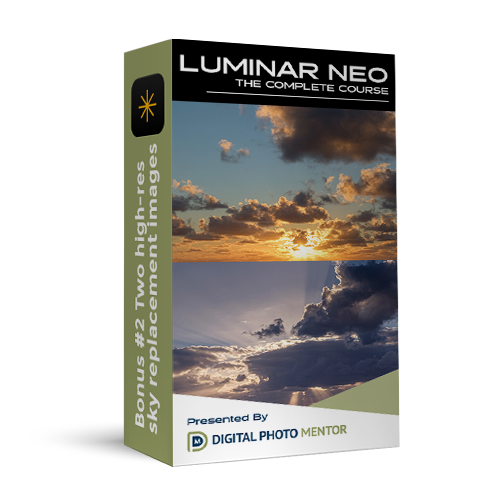
SIX of my high-res sky replacement photos to use and practice with as you follow along with the tutorials for replacing skies.
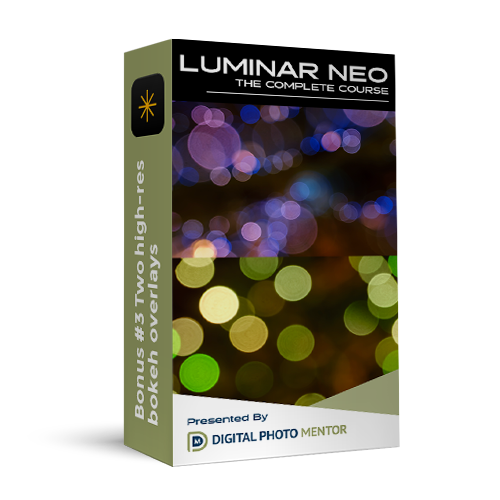
Bonus Bokeh Overlays
TWO of my high-res bokeh overlays for you to work with as you follow along with the Luminar Neo tutorials in the course.
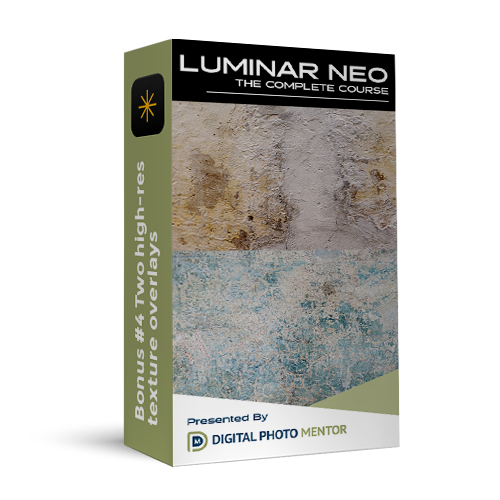
Bonus Texture Overlays
Included with your course purchase are two of my texture overlays to help you understand layers and making creative photos.

Luminar Neo Shortcuts
Also included is my Luminar Neo keyboard shortcuts cheat sheet, suitable for printing and keeping by your desk to help speed your editing process.
Enroll in the course now!
Purchase this Luminar Neo Masterclass now, and get immediate access to the live one-on-one course intro, and full access to the instructor for Q & A sessions.
Luminar Neo Course
$97
- 46+ Lessons
- Over 29 hours of video training
- Over 200 RAW files to work with
- Full editing workflows
- 6 bonus sky replacement images
- 2 bonus texture overlays
- 2 bonus bokeh overlays
- 9 grunge edge frames
- Private student support community
- Lifetime access
- Money back guarantee
- Always up-to-date (Always!)



100% Satisfaction Guarantee
We wholeheartedly believe in the Luminar Neo course, and have many satisfied students. But we want you to feel confident in trying it out for yourself!
That’s why we have a 100% Risk Free Guarantee. Try out Luminar Neo: The Complete Course for 30 days, and if you aren’t satisfied, just ask us for a full refund.
If you do the work, put in your best effort, and feel that we haven’t delivered, we will issue a 100% refund.

Will This Luminar Neo Course be Kept up to Date?
YES! As Luminar Neo evolves, so does this course. Every time Skylum releases an update, I create a quick video covering what’s new. If bigger changes come along, I update or add full lessons — so you always have the most current information at your fingertips.
Since Luminar Neo’s original launch, I added 17 updated lessons to the first version of this course. Then, in November 2024, I completely rebuilt the entire course from the ground up to match Neo’s redesigned interface and new branding.
The 2025 edition now has 46 brand-new lessons, filmed in crisp 4K with improved audio and English closed captions (more languages coming soon!). Best of all, I’ve woven in answers to the thousands of questions asked by over 2,000 students during livestreams and Q&A sessions — so this course now anticipates and covers every possible scenario you might face.
Latest Updates:
- Restoration tool – New lesson added December of 2025 (55 minutes)
- Light Depth tool – Lesson updated to replace Relight AI with the new Light Depth tool December 2025
- Ecosystem – New lesson added December 2025, covering the ecosystem, how to use Spaces, and more.
So YES, this course is kept up to date!
* The only exception is a complete interface overhaul. For example, with version 1.21.0 in the fall of 2024, we re-recorded the entire course creating this completely new 2025 Edition to ensure the course met our promise of staying up-to-date. However, if such a significant change occurs again, we may not be able to commit to another complete overhaul.
Frequently Asked Questions
Who are you guys to teach this Luminar Neo course anyway?
Darlene has been a professional photographer for over 36 years and has been teaching photography for over 14. She is a teacher who understand the needs of beginners and advanced students alike.
How long do I have access to the course? What if I can’t start now due to time commitments elsewhere?
Your purchase allows you lifetime unlimited access to the course and all the lessons – watch it and refer to it as often as you want, and get any updates free of charge.
So you can go through the lessons at your own pace, and start when it is convenient for you.
Can I download the videos?
You can watch the video lessons on any device including laptop, smartphone or tablet. Unfortunately they are not available for download.
Are there any other material or equipment costs besides the Luminar Neo course?
No. If you already have the Luminar Neo software, there are no other costs. If you don’t already own the software, you can purchase Luminar Neo here and use coupon code DPM10 to save 10% on your entire cart at checkout on the Skylum website.
What about update to Luminar Neo? Will those be added to the course?
YES! As Luminar Neo gets updates, so will the course!
Every time Skylum updates the software I will do a short video explaining what’s new. If it warrants a lesson update or addition that will be done as well.
So you’ll always have the most current information and lessons on the latest version of Luminar Neo.
I want to use Luminar Neo as a plugin for another photo editing software like Lightroom, will this course still be of value to me?
Yes it will, 100%!
I go over all the tools one by one in the first section of the course. I teach it using the stand alone version Luminar Neo but I have a complete lesson (21) on workflow from Lightroom and Photoshop so you can follow along, as well as a second complete lesson on when to use Lightroom, and when to use Luminar Neo (43).
The course teaches you how to use Luminar Neo and what you can do with it – then you decide how you use Luminar Neo as a Plugin (plugin or stand alone) for your own workflow.
Do you have an example of your Luminar Neo Training?
I DO! I have 3 lessons you can preview for free, just by putting your email into the form on this page.
You can watch nearly an hour of Luminar Neo training about navigating the interface, setting it up, adding images and your first steps after doing so.
Do you have a course outline and lesson plan?
Yes. You can download the Luminar Neo Course 2025 outline and lesson plan here.
How long will it take to learn how to use Luminar Neo?
t depends. By enrolling in this masterclass, you’ll learn how to use Luminar Neo from start to finish, all the tools as well as complete digital workflows. How long it will take to learn how to use Luminar Neo would depend on your application of the lessons, doing the homework, practicing and that sort of thing. You’ll get more out of the course the more you put into it.
Can I read the notes and watch the videos on my tablet or mobile phone?
Yes, you can watch the video lessons on any device including laptop, smartphone or tablet. The lesson notes are online and readable on any device. RAW files and sample textures, skies and bokeh will need to be downloaded to your computer as they’re very large files.
What if I have technical issues like I can’t log in or forgot my password, etc?
There is a dedicated technical help email address – get help when you’re stuck.
What if I have a question about the material in one of the lessons?
Yes! You’re never on your own — support is built right in.
You get personal help in our private online community space just for students of this course. It’s hosted inside our Digital Photo Mentor Community — a welcoming, ad-free, distraction-free place off Facebook where you’ll find only photography and kind, helpful people.
Inside your student space, you can:
– Ask any questions as you work through the lessons
– Share your photos and get feedback from me and fellow students
– Connect with others learning alongside you
Finally, I also demonstrate photo editing live on YouTube each week using Lightroom, Photoshop, Luminar Neo, and other software. You can attend these live workflow sessions and ask any questions you like.
Are you concerned about the stability of Skylum due to the situation in Ukraine and the fact that their company is based in Kyiv?
No I’m confident in their ability to keep their doors opened and to continue making their software.
They have been actively updating their software through the conflict through many versions. So they are still working even under the extenuating circumstances they are under. I did a video about it CLICK HERE to watch it.
Or perhaps this interview with the CEO of Skylum will help set your concerns aside.
What is your refund policy? Is there a guarantee?
If you aren’t happy with the course content, just let us know within 30 days of your purchase we will give you a full refund.
I’m looking for a Luminar Neo Masterclass
This course easily qualifies as a Luminar Neo Masterclass. With over 28 hours, and growing as Skylum updates the software, and weekly photo editing livestreams allowing for live Q&A where students can ask any question they like, yes. It’s a Masterclass.